


 For most businesses, a Google Business Profile is a “set and forget” exercise. Claim the listing, add your business address, upload a few photos, and move on. But that’s where most businesses get it wrong.
Your Google Business Profile isn’t another random cog in your marketing machine.
It’s often the first thing a prospect sees when they find you online.
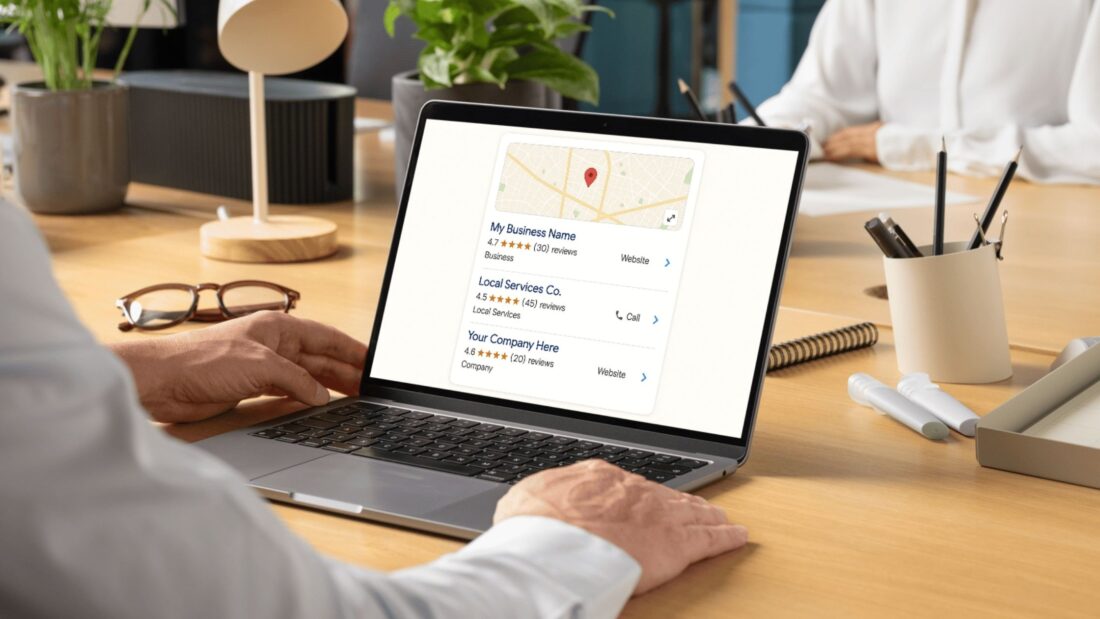
It’s often where your prospects choose to visit your website, give you a call, get directions to visit you in person… or keep scrolling.
If you don’t put in the time to optimise your Google Business Profile, you’re basically saying you don’t care about how you present yourself in front of potential clients… while also telling Google you don’t want to be seen.
But don’t worry, because the fix here is simple:
Play the Game With Google, and Google Will Play the Game With You
Your Google Business Profile comes with heaps of free features. When you use them, Google recognises that you’re active on the platform, and a real business. It will begin to trust you. Which means you’ll have a better chance of:
- Ranking higher in organic search results
- Building a stronger Knowledge Panel
- Standing out in the Local Pack
- And showing up in AI-generated answers
And ultimately, that means it’ll be easier for people to find you online.
At the same time, you’ll be making it easier for those people to interact with your business and buy your stuff.
So, Exactly Which Google Features Should You Use?
If you want Google to love you and bring you heaps of leads, here’s where I’d start:
Basic business details. Start by making sure all of your business information is complete and up to date. Your business description, categories, address, service areas, opening hours, and contact details. Simple, but you’d be surprised at how many businesses leave this stuff blank.
Website and social links. Your Google Business Profile shouldn’t exist on an island. Link through to your website and your social media profiles so people can keep learning about your business if they want to. Google gives you these opportunities for a reason, so take advantage of them. The more complete your online presence is, the stronger your business looks.
Click-to-call. Make sure your phone number is correct, and that the click-to-call feature is working properly. If someone’s ready to contact you, don’t make them jump through hoops trying to find your number somewhere else.
Booking links. If your business works on appointments, add your booking link directly to your profile. People are busy. They don’t want to search through your website trying to work out how to book. If they can book an appointment straight from your Google Business Profile, you’ve removed another point of friction.
Photos and videos. Don’t just upload your logo and call it a day. Add photos of your team, your premises, your products, your completed work, or anything else that helps people understand what you do and how you do it. If you have videos, even better. It all helps create the impression that you’re an active business, not one that set up a profile years ago and forgot about it.
Products and services. If your Google Business Profile allows you to showcase your products or services, use it. It gives people another way to understand exactly what you offer without having to dig through your website. Every extra piece of useful information helps someone make a decision about whether you’re the right choice for them.
Google posts. This is one of the most overlooked parts of a Google Business Profile. It’s basically a mini social feed, or a blog. Share tips and tricks. Share offers. Share wins. Demonstrate your value. It’ll show your customers – and Google – that you’re active.
Reviews. Reviews are one of the first things people notice when they look at your Google Business Profile. They help build trust before you’ve even had a conversation with a prospect. Keep encouraging happy customers to leave reviews, and take the time to respond to them. It’s another signal that you’re active and doing good work.
Simple, right?
Yes. But the thing is, you might not have an opportunity to get these easy wins, or you might have to pay a lot for them, if you don’t learn from this quick cautionary tale:
Don’t Let Your Agency Hold Your Google Business Profile Hostage
I’ve seen agencies set up a Google Business Profile under their own account instead of the business owner’s. And everything’s usually fine… until the business wants to move to another agency.
One local business owner ended up paying an $800 ransom just to get access back to their own Google Business Profile.
That’s ethically wrong, and according to Google’s standards, kind of illegal.
Your business should always own your Google Business Profile. You should always have owner-level access. If an agency manages it for you, they should simply be added as a manager. That way, your business stays in control, regardless of who you’re working with.
Anyway, here’s the TLDR of all this:
Your Google Business Profile Is Much More Than an Online Listing
Most businesses treat their Google Business Profile like another directory listing (RIP Yellow Pages). They set it up, tick it off the list, and move on.
The businesses that get results treat it differently.
They keep it up to date. They use the tools Google gives them. They make it easy for people to contact them. They keep adding content. They keep collecting reviews.
In other words, they play ball with Google.
So Google plays ball with them.
Of course, your Google Business Profile is just one part of your broader marketing strategy. Your website, for example, is another critical piece, and you absolutely want to make sure that, when someone clicks through to your site from Google, they don’t immediately click away.
If you want to build a website that engages and converts, grab our free guide:
How to Build a Website That Attracts High-Quality Clients
Download it, take your time flicking through, and if you’d like some help putting it into action, I’ll be here.
Frequently asked questions
Why isn’t my Google Business Profile getting me any leads?
Usually because it is treated as set and forget. If you claim the listing then leave it, Google sees an inactive profile and is less likely to show you in local results, so prospects never find you. The fix is to actively use the free features Google provides, which builds trust and visibility. Smarter Websites handles this as part of its local SEO work.
Which Google Business Profile features should I use?
Complete every section Google offers: accurate business details, website and social links, a working click-to-call number, booking links, photos and videos, products and services, regular Google posts, and reviews. Each one gives prospects another reason to choose you and signals to Google that you are an active, real business. The more complete your profile, the stronger it looks.
Who should own my Google Business Profile, me or my agency?
Your business should always own the profile with owner-level access. If an agency manages it, they should be added only as a manager. Setting it up under an agency account is risky: one owner had to pay an $800 ransom to regain access to their own profile when switching providers. If you need help reclaiming access, contact Smarter Websites.
Do Google posts and reviews actually help my visibility?
Yes. Google posts act like a mini social feed where you share tips, offers and wins, and reviews build trust before a prospect even contacts you. Both signal that your business is active and legitimate, which helps you rank higher in organic results, build a stronger Knowledge Panel, stand out in the Local Pack and appear in AI-generated answers.
How does an optimised Google Business Profile help me show up in AI search?
When your profile is complete and active, Google trusts it as a real, current business and is more likely to surface your details in AI-generated answers as well as the Local Pack. Keeping information accurate, posting regularly and collecting reviews all feed the signals that AI search and local results rely on.
Serious about scaling your business online? Let’s build the system properly. Contact Smarter Websites or call Peter Butler on 0481 613 997.
Learn more about Peter and his team. Smarter Websites is a proud member of the D32 Business Network.
